Samaaro + Your CRM: Zero Integration Fee for Annual Sign-Ups Until 30 June, 2025
- 00Days
- 00Hrs
- 00Min

Key Takeaways (TL;DR)
1
2
3
→
Bottom Line:
Better planning won’t fix setup time that multiplies. Too many event tools is the cause, and fewer is the fix.
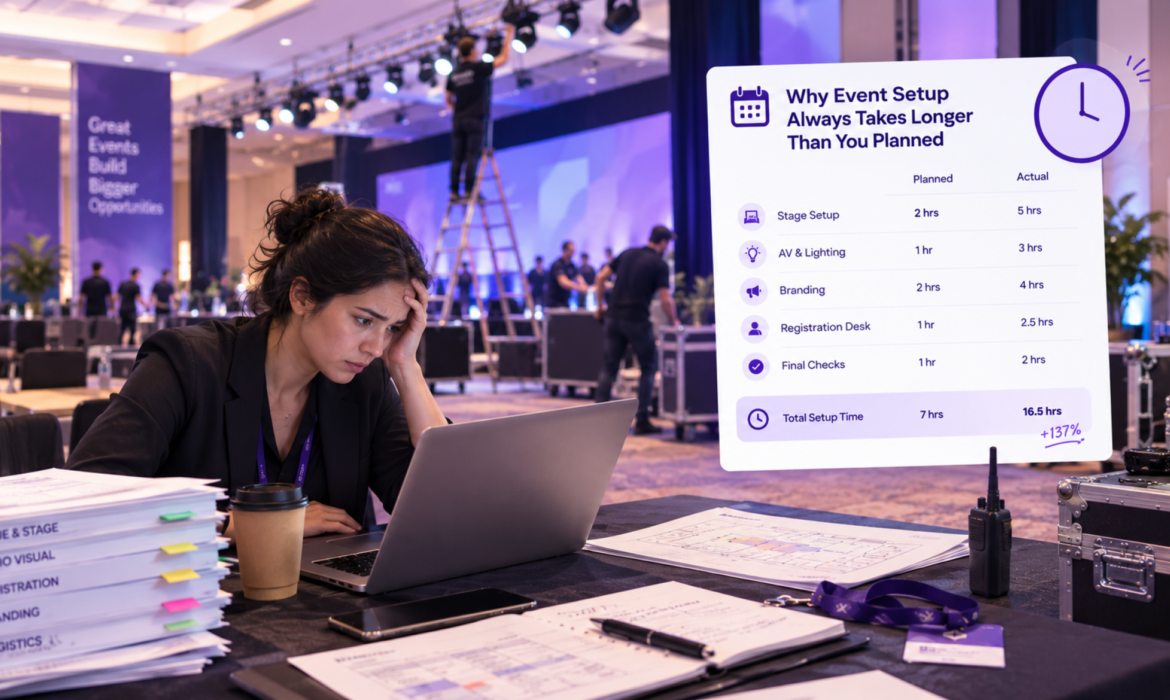
Setup time didn’t add up. It multiplied, because every tool needed its own full setup pass and none of them share data.
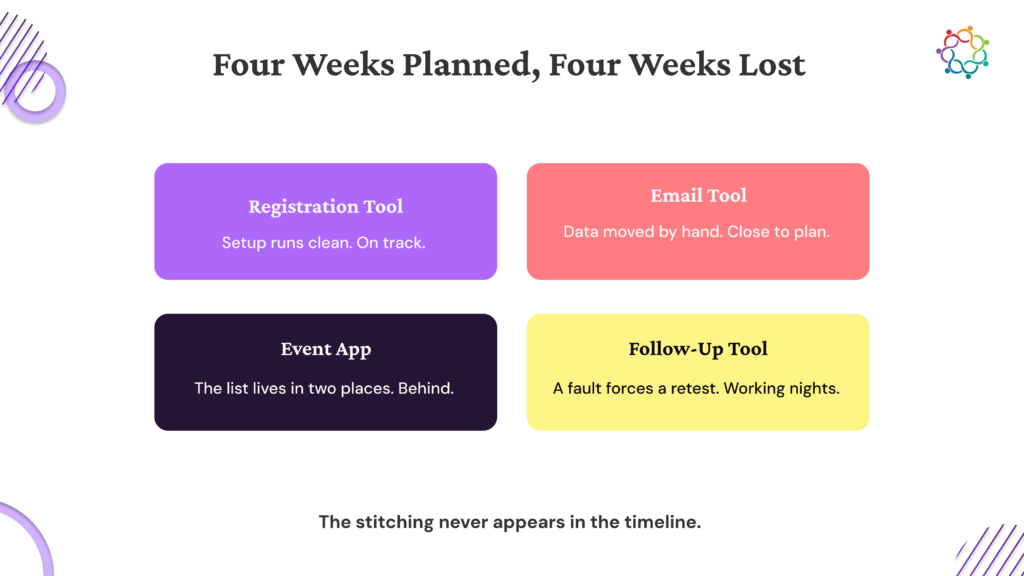
You planned the timeline and blocked two weeks. Tool A went fine. Tool B took longer because it doesn’t talk to Tool A, so you exported, reformatted and imported by hand. By Tool D you were two weeks behind and working nights. The instinct is to blame the estimate.
One tool takes a few hours. Two tools take both of those, plus the time to connect them. By the fourth, you’re not adding a task. You’re adding a second setup process that sits between the tools, and nobody sold you that one.
So what exactly gets redone by hand?

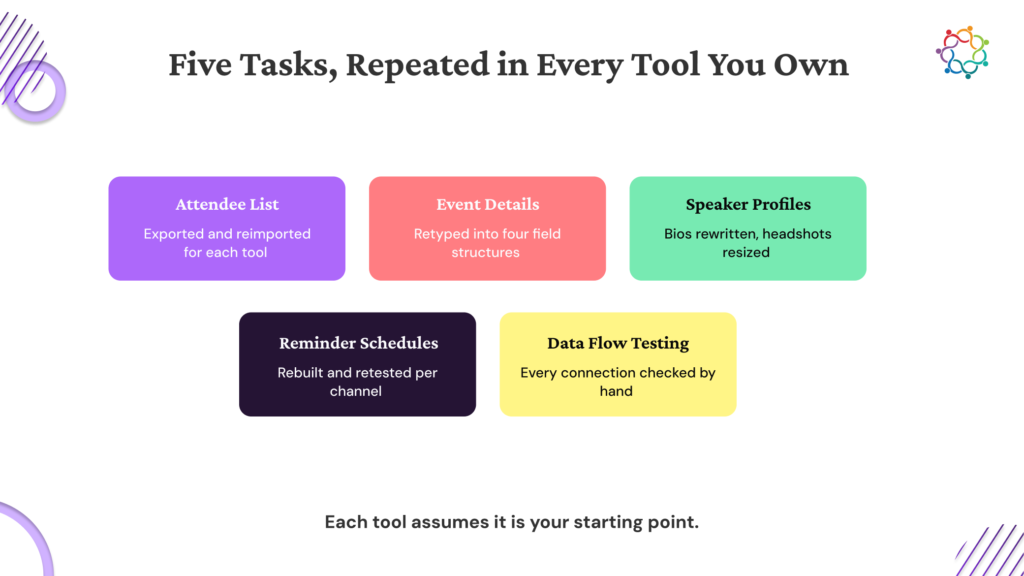
Every event needs the same five things built: who’s coming, what’s happening, who’s presenting, how you’ll communicate and how the data moves. All hours below are operational estimates, not research.
| Setup task | Across four tools | On one platform |
| Import the attendee list | 3 to 4 hours at 500 registrants. Export, reformat columns, import, check duplicates, three times over | Once, at registration |
| Re-enter the event details | 6 to 8 hours for a multi-track event. Different field names, character limits and formatting rules in each tool | Once, before anything else is built |
| Rebuild the speaker profiles | 4 to 6 hours for eight or ten speakers, most of it spent on image dimensions nobody notices | Once, from the submission form |
| Set up the reminder sequences | 5 to 7 hours. One strategy, three channels, three scheduling interfaces to build and test in | Once, deployed across channels |
| Map and test the data flow | 8 to 10 hours. Nothing is built in, so you test each handoff manually and fix what fails | Built in, nothing to test |
You’re not copying between tools, you’re translating, because each one models the same thing differently. The shape is the point: one tool is a task, four tools is a project.

A clean plan reads like this. Registration eight hours, email six, app eight, reporting five, twenty-seven hours total. That math only holds if the four tools never touch each other.
They do. Attendee data crosses three boundaries. Event details get entered three extra times. Speaker profiles get rebuilt three times. Twenty-seven hours becomes forty-plus, and none of the extra time appears anywhere in the plan.
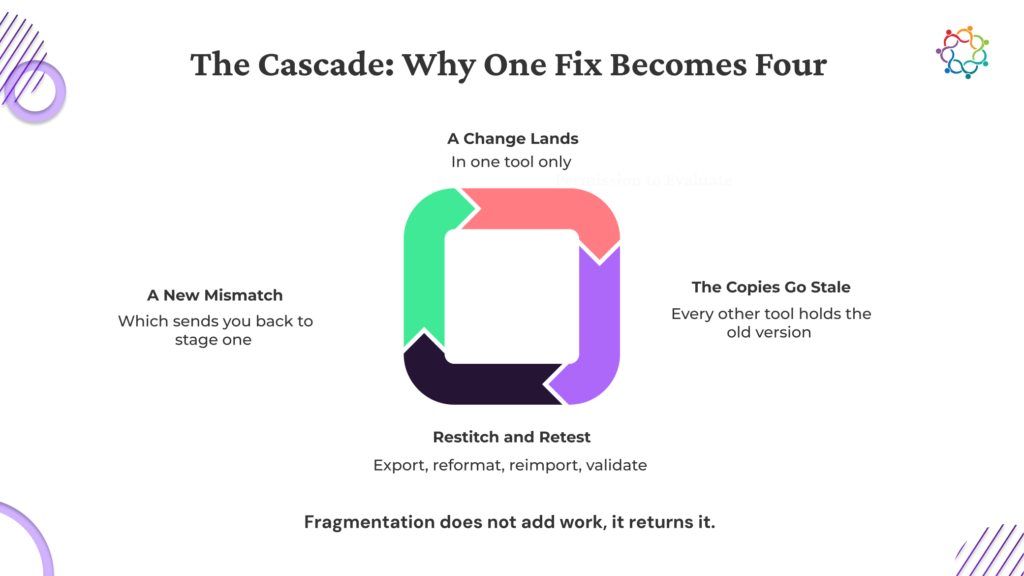
Then there’s the part that hurts. Fix a problem in the registration tool the day before the event and everything downstream needs re-checking. A thirty-minute fix turns into three hours. MuleSoft’s 2026 Connectivity Benchmark Report, based on a survey of 1,050 IT leaders, found that only 27 percent of applications in the average organization are connected, and that 71 percent of respondents agree their IT infrastructure makes systems overly dependent on one another. That dependency is exactly what you’re feeling the week before an event, and it’s the same gap that shows up when event tools meet the rest of the marketing stack.

Week one, registration goes live and the plan looks fine. Week two, you discover attendee data doesn’t move on its own and two days disappear into exports. Week three, the same list lives in two places, so every update happens twice. The week before, the app throws a data error and everything built on that list needs re-testing.
You allocated two weeks. You’re troubleshooting the night before, and some of the post-event work has already slipped into next month.
Three tools is survivable if you’re disciplined. Four starts to break. Five breaks every time, and a multi-track conference makes it worse, because every extra session multiplies the re-entry.

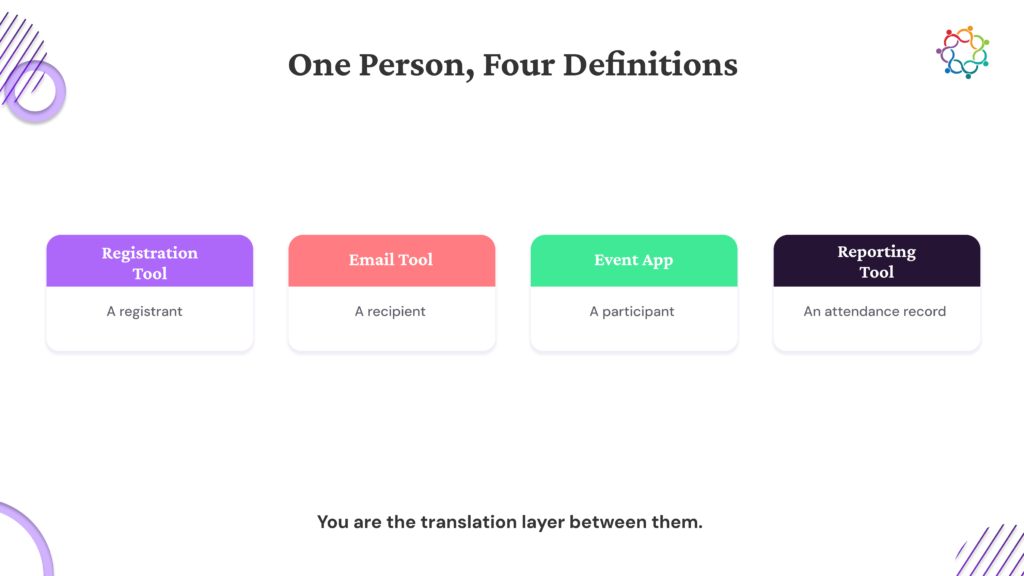
Here’s the technical reason. The registration tool models a person as a registrant with a ticket type and a status. The email tool models the same person as a subscriber with preferences. The app models them as a participant with session selections. Reporting models them as an attendee with an attendance record.
Four systems, four definitions, one human being. Somebody has to translate between them, and there’s no shared standard to translate against.
Vendors build for their own category rather than for your stack, so the translation work lands on whoever bought the tools. That’s why native integrations and field mapping matter more than feature lists, and why where event data lands afterward is worth checking before you buy anything.

You can’t force four vendors onto one data model. You can make the five tasks repeatable.
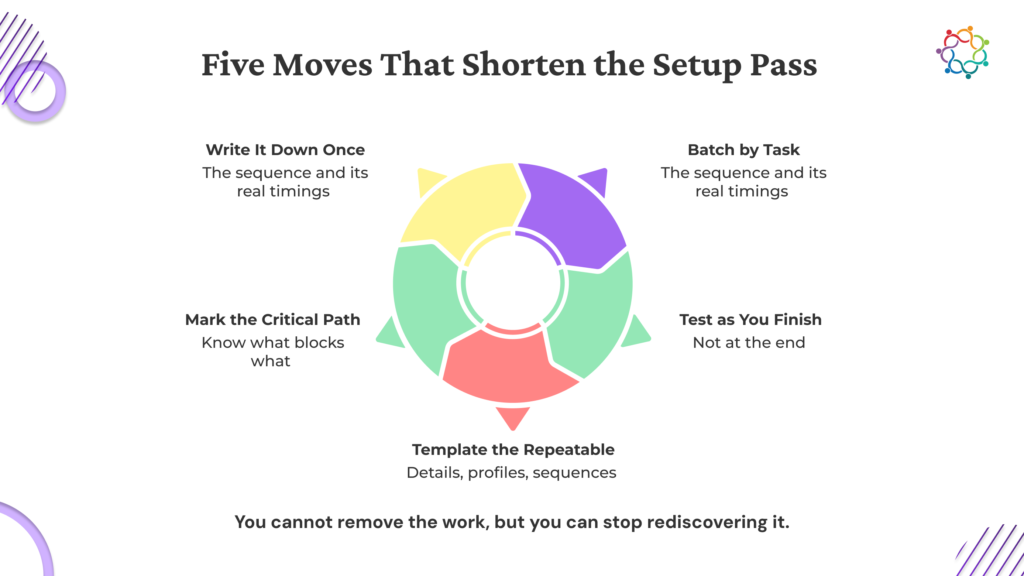
Write the sequence down once. Turn the five tasks into a setup runbook with sub-steps and real timings. Export attendees, thirty minutes. Reformat, fifteen. Import, fifteen. Test ten records, thirty. Reuse it every event instead of rediscovering it.
Batch by task, not by tool. Do every attendee step across all four tools in one sitting, then move to event details. Staying in one mode beats switching four times.
Test as you build. Check each handoff the day you finish it, not the week before the event when there’s no room left to fix anything.
Template the repeatable parts. Event details, speaker profiles and reminder sequences change content but not structure. Copy last event’s version and fill it in.
Map the dependencies. The attendee list gates email, which gates reminders. Know which slip actually cascades and which one you can absorb. Several common planning mistakes trace back to the wrong task slipping at the wrong moment, and the fix is knowing the order before the week gets tight.
Setup time multiplies because every tool runs independently and each one assumes it’s your starting point. You do the same five tasks four times. That’s not a planning problem, it’s what too many event tools does to a timeline.
You could plan better, work longer and still hit the same wall.
The fix is fewer systems. When registration, communication, on-site check-in and reporting run on one platform with shared data, the five tasks happen once. If your next event runs on three or more tools, this is already happening, and each one you add makes it worse. That’s just math. Worth a conversation with Samaaro before the next timeline gets written.
How long should event setup take with event management software?
As a working estimate, three to four weeks on one platform for a mid-sized event, and six to eight across four disconnected tools. A large share of that gap is data moving between systems rather than anything being built.
What happens when you use too many event tools?
Five setup tasks get repeated in each one: the attendee list, event details, speaker profiles, reminder sequences and data flow testing. The stitching between tools is unbudgeted, so timelines slip without anyone being able to say why.
Why does event registration software need to connect to my email tool?
Because the attendee list originates in registration and every other system needs it. Without a connection, you export, reformat and import by hand each time someone registers late, which is where most last-week setup time disappears.
Can an event management platform replace multiple event tools?
Yes, when registration, communication, on-site check-in and reporting share one data model. The five setup tasks happen once rather than four times, which removes the stitching work entirely rather than making it faster.
How do I reduce event setup time without changing tools?
Document the sequence once, batch work by task rather than by tool, test each handoff the day you build it, template anything structurally repeatable and map which tasks gate others. Teams doing all five commonly get several hours back per event.

Samaaro is an AI-powered event marketing platform that enables marketing teams to turn events into a measurable growth channel by planning, promoting, executing, and measuring their business impact.
Location


© 2026 — Samaaro. All Rights Reserved.