Samaaro + Your CRM: Zero Integration Fee for Annual Sign-Ups Until 30 June, 2025
- 00Days
- 00Hrs
- 00Min

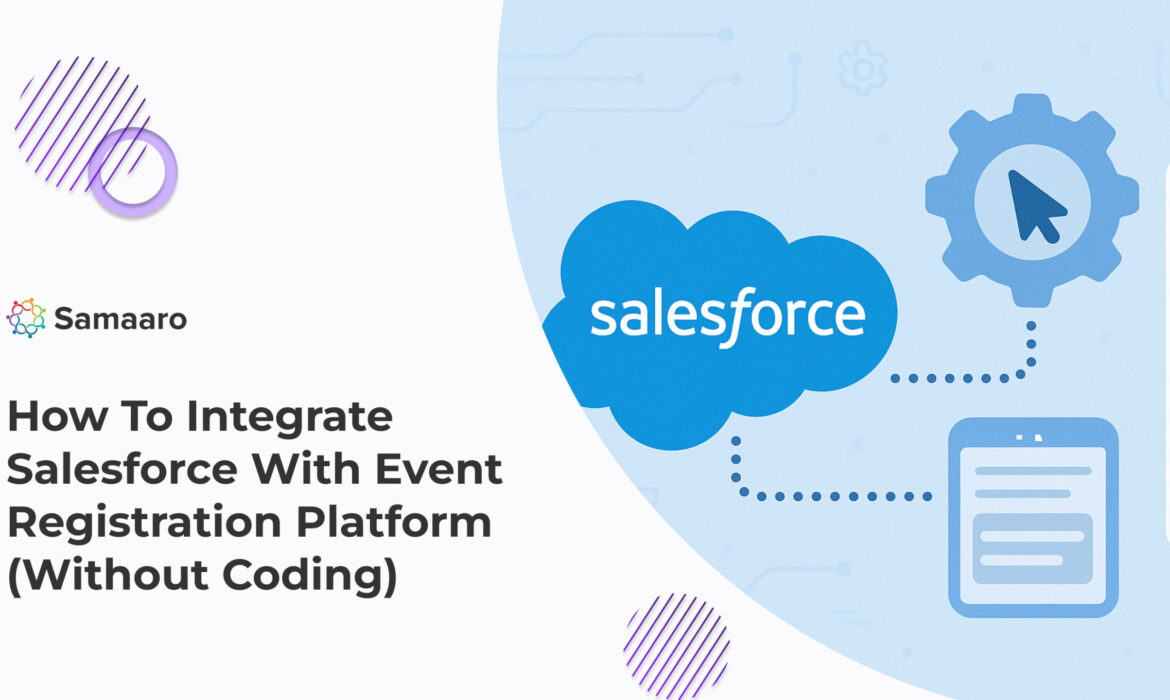
Enterprise marketers and CRM managers have transitioned from a technical plug-in to the operational “must-have” of connecting event (or gathering) registration data back into Salesforce, because it makes tracking leads, whether from webinars, conferences or road shows, much easier when the event’s attendee interactions flow into your CRM with Salesforce event integration.
If you do it manually, your organization will be left with fragmented views, delayed follow-ups, and always cleaning spreadsheets to match the reports in Salesforce. If everything is connected, teams can effortlessly follow the campaigns, give buyers tailored experiences, and utilize attributes to create a complete funnel attribution model to analyze ROI from every event. In addition, the emergence of no-code platforms now means that the automation of an integration with your CRM from an event can happen without hesitation, not having to write one line of code.
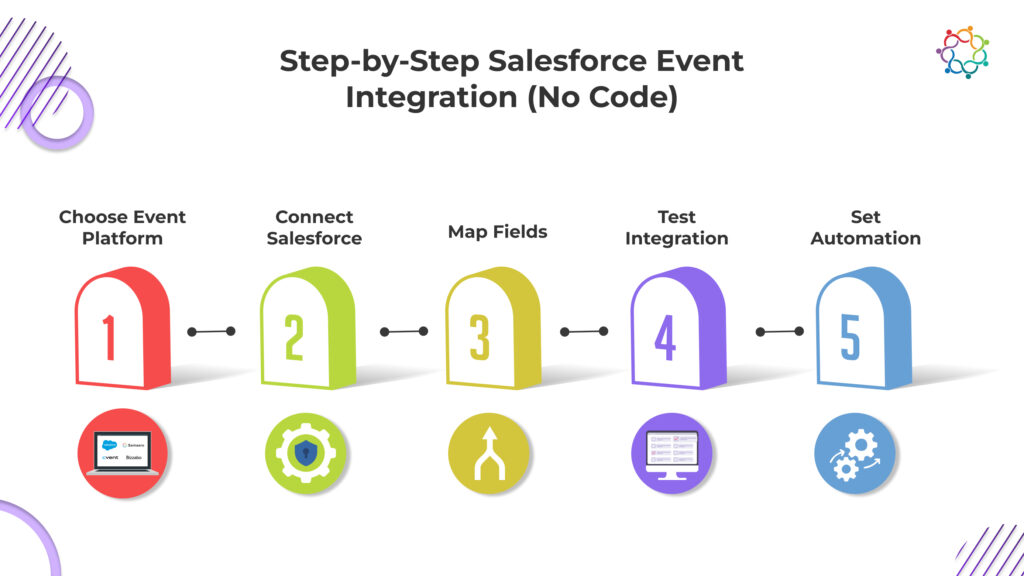
Step 1: Choose an Event/ Gathering Platform with Native Salesforce Support
The first step is to find a non-profit event platform that has native Salesforce integration out of the box. The most advantageous feature of this option is that it utilizes OAuth-based connectors, availability of APIs, and that it will sync with your Marketing Cloud and Sales Cloud. Some platforms, or event platforms, such as Samaaro, Cvent, and Bizzabo offer native Salesforce support for enterprise level deployments.

Want to see how this would work for you?
30 minutes on how Samaaro syncs registrations and engagement signals directly into Salesforce.
Book a tailored walkthroughStep 2: Connect Your Salesforce Using Native Reports or integration Panel
When you have selected the right event tool, find the Salesforce integration section in the tool. Sign in with your admin credentials and token to authenticate the connection. Make sure the event platform allows you to configure field-level permissions to limit data privacy and the visibility of sensitive records.
Step 3: Field Mapping (Lead, Contact, Campaign, Custom Objects)
Field mapping is the most likely area to have mistakes, so think it through. Map registration form fields to existing Salesforce fields like Lead Source, Campaign Name, and Custom Tags. Don’t overwrite fields that will get overwritten like Last Activity unless you really need to. Lastly, verify the mappings for phone numbers, job title, and company names will all line up and retain data quality.
Step 4: Test the Integration with Sample Data
Before going live, you will want to test the integration process using sample data. Simulate a person registering for an event. Confirm the lead was created in Salesforce correctly and associated to the event campaign. Lastly, ensure all activity history, source tags, or campaign member statuses are syncing appropriately.
Step 5: Set Automation Rules (Campaign Sync, Lead Assignment, etc.)
This is where the automation starts to happen. Define rules for automatically assigning new leads to owner, adding registrant to specific campaigns, or kicking off a post-event drip campaign. You can also take action using workflows or Process Builder to conduct follow ups on lead records, assign lead scores, and move contact records into nurture tracks based on their engagement scale.
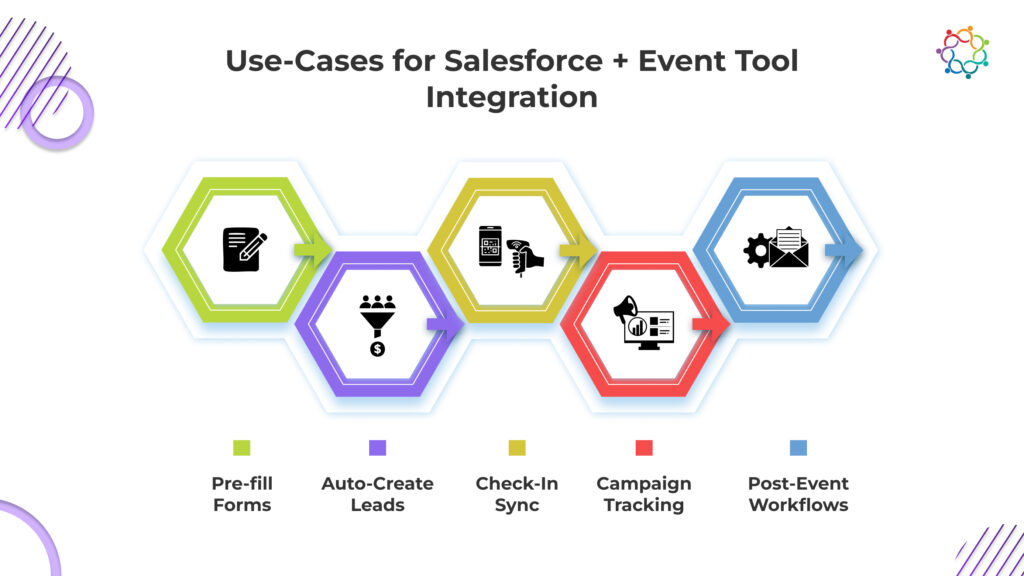
The ability to integrate Salesforce with your event tool can lead to several automation and personalization features.
Some of the most common use-cases include in no particular order:
Samaaro spotlight: Native Salesforce integration without coding
Samaaro makes integrating Salesforce easy with a no-code, OAuth-based connector. With a few clicks, CRM administrators can sync attendee data, create new leads, and include engagement information in real-time.
What makes it different?
For enterprise event marketing teams that are looking for options for no-code CRM integrations that give flexibility, Samaaro is a great solution to help save time and be able to get the most accurate data.

In many cases you have done half the work with the actual integrations – make sure to follow these best practices to ensure your data is clean, compliant, and ready to convert.
You no longer have to plan for custom code or a whole dev team to connect Salesforce to your event workflows! It’s a matter of clicks, not months! Whether it’s syncing leads with your CRM platform of attachment, tracking, attendance, or launching a post event campaign anything that let’s your team work faster, more accurately, and create maximized impact in the pipeline – is better than an event strategy that is not connected to the CRM.
If somehow you figure out how to have your events not connected to your CRM it is time to rethink your even stack. The new generation of tools with simple integration made for Salesforce native, feasible mapping, and real-time sync means your events will not only take your event experiences to the next level – they will create a return on investment (ROI)!
Are you ready to rethink your event stack? Platforms like Samaaro take away the pain
Q1. Can I integrate Salesforce with event tools without technical help?
Yes. Platforms like Samaaro offer guided, no-code integration. You just need admin access to both systems to complete setup.
Q2. How can I make sure there are no duplicates in Salesforce from event registrations?
Use deduplication rules (e.g., based on email or phone number). Map new entries to existing contacts using standard matching logic.
Q3. Is Salesforce Campaign Sync supported for every event tool?
No. Some platforms offer limited campaign sync options. Check for custom object support or built-in campaign member automation.
Q4. How secure is my data during CRM-event sync?
Look for OAuth-based authentication, field-level permission settings, and GDPR-compliant practices. Samaaro, for instance, uses SOC 2–compliant infrastructure.
Integrating Salesforce with an event registration platform turns event data from an isolated record into a pipeline driver. Every registration, attendance, and engagement signal flows into the right Salesforce contact and account in real time, so sales sees who’s hot, marketing attributes pipeline back to events, and finance sees ROI clearly. Without the integration, your event data lives in a vacuum and the ROI question never gets a clear answer.
No-code Salesforce integration works by mapping fields between your event platform and Salesforce through a pre-built connector. You select which event data (registrations, check-ins, sessions, lead scores) flows into which Salesforce objects (Lead, Contact, Campaign, Opportunity), set the sync direction and frequency, and authenticate once. After setup, data flows automatically. Samaaro’s native Salesforce integration handles this without developer involvement.
The data you can sync between Salesforce and event tools includes: registration records, attendance status, session-level engagement, poll and Q&A activity, lead scores, custom form responses, campaign attribution, ticket type, and CRM-side data flowing back like account tier, deal stage, and territory. Two-way sync is what makes the integration valuable. One-way export is just a fancy CSV.
Integration improves lead management by routing event leads to the right rep automatically, scoring them based on engagement (session attendance, booth visits, demo requests), and triggering follow-up workflows in Salesforce the moment they qualify. No more spreadsheets, no more ‘I’ll get to it next week’. Hot leads from an event reach a rep’s inbox within minutes, while engagement is still fresh.
Automating event data flow into CRM saves your team 20 to 40 hours of post-event data cleanup per event, prevents data loss between systems, lets sales follow up while engagement is fresh, gives marketing accurate attribution for pipeline, and creates a single source of truth for campaign ROI. The compounding benefit shows up after your third or fourth event, when the data starts powering audience targeting for the next one.
Before connecting Salesforce and event software, check: which Salesforce edition you have (some integrations need Enterprise+), whether you have admin access to set up the connection, your field-mapping requirements (custom fields included), data deduplication rules, GDPR consent flow, and which user permissions the integration needs. Also confirm the event platform handles two-way sync, not just one-way push. Samaaro’s Salesforce integration is built for enterprise compliance from the start.
Integrating Salesforce turns event registrations from isolated records into useful pipeline data. Every sign-up, check-in, and engagement signal flows straight into the right Salesforce contact and account in real time. Sales sees who is interested, marketing can attribute pipeline to events, and finance sees ROI clearly. Without it, your event data sits in a silo and the ROI question goes unanswered.
Yes. Modern platforms offer no-code, guided integration. You simply map fields between your event tool and Salesforce using a pre-built connector, then authenticate once with admin access to both systems. There is no custom development needed. Samaaro, for example, uses a no-code, secure connector so a CRM admin can set it up in just a few clicks.
You can sync registration records, attendance status, session-level engagement, poll and Q&A activity, lead scores, custom form responses, and campaign attribution. Data can also flow back from Salesforce, like account tier and deal stage. Two-way sync is what makes the integration valuable. A one-way export is really just a fancy spreadsheet that does not update on its own.
Integration routes event leads to the right rep automatically and scores them by engagement, like session attendance or demo requests. Follow-up workflows trigger in Salesforce the moment a lead qualifies. There are no more spreadsheets or delays. Hot leads from your event reach a rep’s inbox within minutes, while their interest is still fresh and easy to act on.
There are five main steps. First, choose an event platform with native Salesforce support. Second, connect and authenticate with your admin credentials. Third, map your form fields to Salesforce fields like Lead Source and Campaign. Fourth, test with sample data to confirm leads create correctly. Fifth, set automation rules for lead assignment, campaign sync, and post-event follow-ups.
In the automation step, you set rules that assign new leads to the right owner automatically. You can also add registrants to specific campaigns and start post-event drip sequences. Using Salesforce workflows or Process Builder, you can score leads and move contacts into nurture tracks based on how they engaged. This removes manual sorting and speeds up your follow-up.
Real-time sync means your Salesforce records update the moment something happens. When attendees check in, their status updates instantly, so sales can follow up while interest is high. There is no lag and no manual export. This gives you accurate, up-to-the-minute data for tracking in-person engagement, prioritizing hot leads, and reporting on event performance without waiting days for spreadsheets.
By automatically adding event attendees to a Salesforce Campaign, you can track their journey alongside your other marketing. Campaign member statuses and custom tags let you see who registered, attended, and engaged. As those contacts become pipeline and revenue, the campaign attributes it back to the event. This gives you a clear, defensible view of your event’s ROI.
The most common challenge is field mapping, where data gets sent to the wrong place, so plan your mapping carefully and avoid overwriting fields. Duplicate records are another, fixed with deduplication rules based on email. Watch for security and consent gaps too. Test with sample data before going live, and check your edition and admin access up front to avoid surprises.
Plan your field mapping in advance and standardize inputs across all event forms. Use deduplication rules based on email or contact ID, which most platforms support natively, so existing contacts get matched rather than duplicated. Only create custom fields when truly needed, since over-customizing makes things harder to manage. Testing with sample data first catches mapping errors before they spread.